Adding new services behind Traefik
Part 4 of the homelab series: now that the infrastructure is in place, adding a new service is super simple. We only need a docker-compose file and a YAML file detailing the routing.
- published
- tags
- #Traefik #Portainer #Home-Assistant #Docker #Homelab #Self-Hosting
- categories
- Homelab
The first three posts were all infrastructure: VPN, DNS, reverse proxy, HTTPS. Now, I’ll talk about how adding a new service to the homelab works. It generally follows this simple pattern:
- Create a folder for the service
- Write a
docker-compose.yamlthat puts the container on thetraefiknetwork - Write a YAML file in
traefik/dynamic/to tell Traefik how to route requests to it
Traefik watches the dynamic/ directory and picks up changes automatically, no restart needed. DNS already resolves *.kaoshome.dev to the Pi and Let’s Encrypt certificates are already in place. Adding a service is just basic plumbing!
This post walks through two examples: Portainer and Home Assistant.
Portainer
Portainer is a web UI for Docker. From a browser, you can see every running container, check logs, restart services, pull new images and manage volumes. For a homelab where I’m often checking things from a phone or another machine, it’s useful because it keeps me from having to SSH into the Raspberry.
The compose file
# portainer/docker-compose.yaml
services:
  portainer:
    image: portainer/portainer-ce:latest
    container_name: portainer
    restart: unless-stopped
    command: --sslcert="" --sslkey=""
    networks:
      - traefik
    volumes:
      - /var/run/docker.sock:/var/run/docker.sock
      - portainer-data:/data

volumes:
  portainer-data:

networks:
  traefik:
    external: true
A couple of things worth noting:
command: --sslcert="" --sslkey="": Portainer tries to set up its own HTTPS out of the box. I’m disabling that here because Traefik already handles TLS termination. Letting Portainer manage its own certs on top of Traefik’s breaks the setup, so this config is essential.
Docker socket mount: Portainer needs read/write access to /var/run/docker.sock to manage containers — this is how it talks to the Docker daemon. Unlike the dashboard (which we’ll cover in a later post), Portainer can’t get by with :ro because it needs to actually start, stop and restart things.
external: true on the network: The traefik network already exists, it was created when we first started Traefik. Every service that wants to be proxied declares this network as external, meaning “don’t create it, just join the one that already exists.”
The Traefik config
# traefik/dynamic/portainer.yml
http:
  routers:
    portainer:
      rule: "Host(`portainer.kaoshome.dev`)"
      entryPoints:
        - websecure
      tls:
        certResolver: le
      service: portainer

  services:
    portainer:
      loadBalancer:
        servers:
          - url: "http://portainer:9000"
The router matches requests to portainer.kaoshome.dev on the websecure entrypoint (port 443) and forwards them to the portainer service. The service points to http://portainer:9000 — where portainer is the container name, which Docker resolves to the container’s internal IP since both Traefik and Portainer are on the same network.
TLS is handled by Traefik (via the le cert resolver). The connection between Traefik and the Portainer container is plain HTTP on the internal Docker network.
After starting it up and waiting for a few seconds for Traefik to detect the new file, I can access https://portainer.kaoshome.dev and verify that it is live:
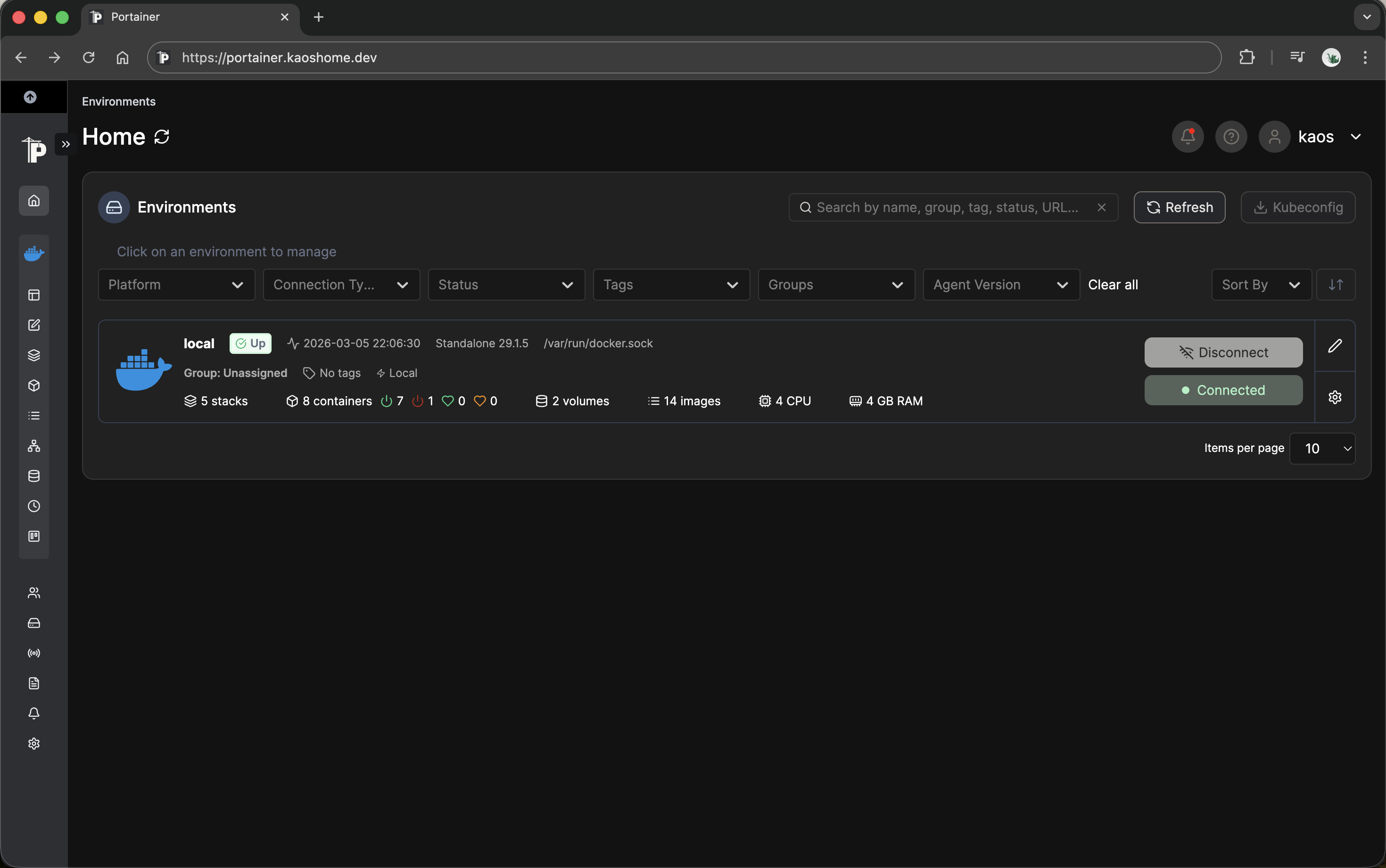
Note that for this to work I must be connected to my Tailnet. If I’m not, then Pi-hole is unreachable, portainer.kaoshome.dev won’t resolve and the browser won’t be able to find the server.
Home Assistant
Home Assistant is an open-source home automation platform. It connects to smart home devices, sensors and APIs and lets you build automations: turn on the lights when motion is detected, send a notification when the washing machine finishes, log temperature over time etc. It supports thousands of integrations out of the box.
The reason to self-host rather than use a cloud solution comes down to control. HA runs locally, so automations work without internet access. My data stays on my hardware. And unlike proprietary platforms, HA isn’t going to deprecate an integration or shut down a cloud service I’ve built around.
The compose file
# homeassistant/docker-compose.yaml
services:
  homeassistant:
    container_name: homeassistant
    image: "ghcr.io/home-assistant/home-assistant:stable"
    volumes:
      - ./ha-config:/config
      - /etc/localtime:/etc/localtime:ro
      - /run/dbus:/run/dbus:ro
    restart: unless-stopped
    environment:
      TZ: Europe/Zurich
    networks:
      - traefik
    cap_add:
      - NET_ADMIN
      - NET_RAW

networks:
  traefik:
    external: true
Two things here that don’t appear in the Portainer setup:
cap_add: NET_ADMIN and NET_RAW. Home Assistant uses mDNS and network scanning to auto-discover smart home devices on the local network. These Linux capabilities are what make that possible: NET_ADMIN allows configuring network interfaces and NET_RAW allows sending raw packets. Without them, device discovery doesn’t work.
The alternative is privileged: true, which grants the container full root-level access to the host. That’s far more than HA needs.
D-Bus and localtime mounts. /run/dbus gives HA access to the system message bus, which some integrations use to communicate with system-level services (Bluetooth, for example). /etc/localtime ensures the container uses the same timezone as the host, mounted read-only since HA just needs to read it.
The Traefik config
# traefik/dynamic/homeassistant.yml
http:
  routers:
    homeassistant:
      rule: "Host(`homeassistant.kaoshome.dev`)"
      entryPoints:
        - websecure
      tls:
        certResolver: le
      service: homeassistant

  services:
    homeassistant:
      loadBalancer:
        servers:
          - url: "http://homeassistant:8123"
Identical structure to Portainer. Different hostname, different port. That’s all Traefik needs.
The trusted proxy configuration
There’s one more step specific to Home Assistant. HA logs the IP address of every client that accesses it. When Traefik sits in front of HA, HA doesn’t see the real client IP — it sees Traefik’s internal Docker network IP instead. That’s because from HA’s perspective, all requests come from Traefik.
Traefik forwards the original client IP in the X-Forwarded-For header but HA ignores it by default for security reasons. Accepting X-Forwarded-For blindly would let any client spoof their IP.
The fix is to tell HA which proxies to trust. Any request coming from a trusted proxy’s IP is allowed to use the X-Forwarded-For header to identify the real client:
# homeassistant/ha-config/configuration.yaml
http:
  use_x_forwarded_for: true
  trusted_proxies:
    - 172.18.0.0/16
172.18.0.0/16 is the default subnet of the Docker bridge network — the range that Traefik’s internal IP will fall within. With this in place, HA correctly identifies clients by their real IP instead of Traefik’s.
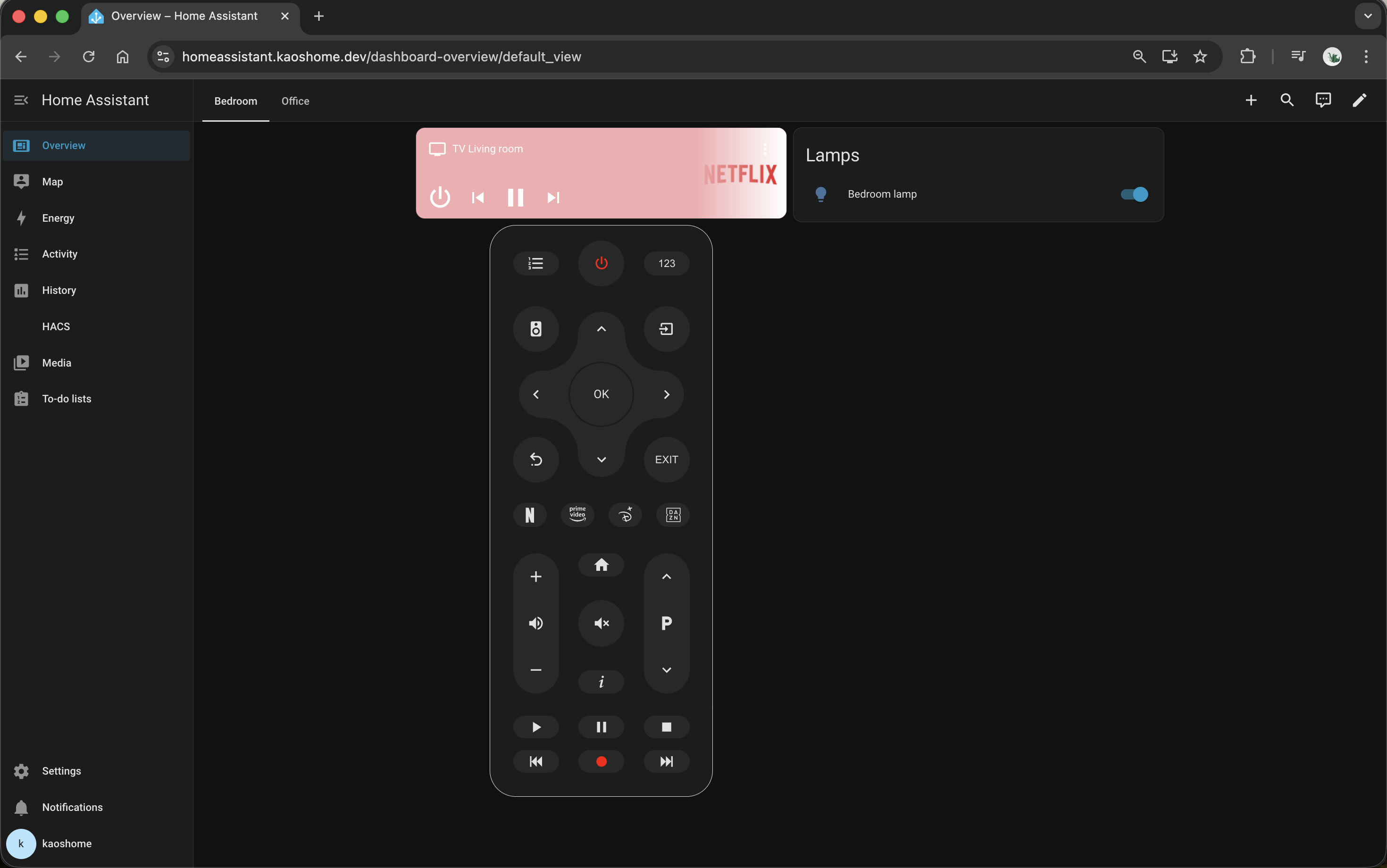
Currently I have a basic setup - I added a controller for my TV and two Philips Smart LED lamps. I have plans to add my own Matter and Zigbee controllers in the future, but for now I’m using the out-of-the-box integration that Home Assistant provides.
The pattern in practice
After setting up these two services, the pattern is clear. For any new service:
- Does it need to be proxied? Join the
traefiknetwork and add a file totraefik/dynamic/. - Does it store data? Mount a volume.
- Does it need host-level capabilities? Use
cap_addwith only what’s required. - Does it sit behind a proxy that modifies headers? Configure trusted proxies.
In the next post, Lista, a multi-container app I built myself, pushes this pattern a bit further: multiple containers (backend, frontend, database + migrations), path-based routing and an isolated internal network that the database never leaves.